

Fake Chat Video
1.1.0: Fake Chat Video blooms in lavender
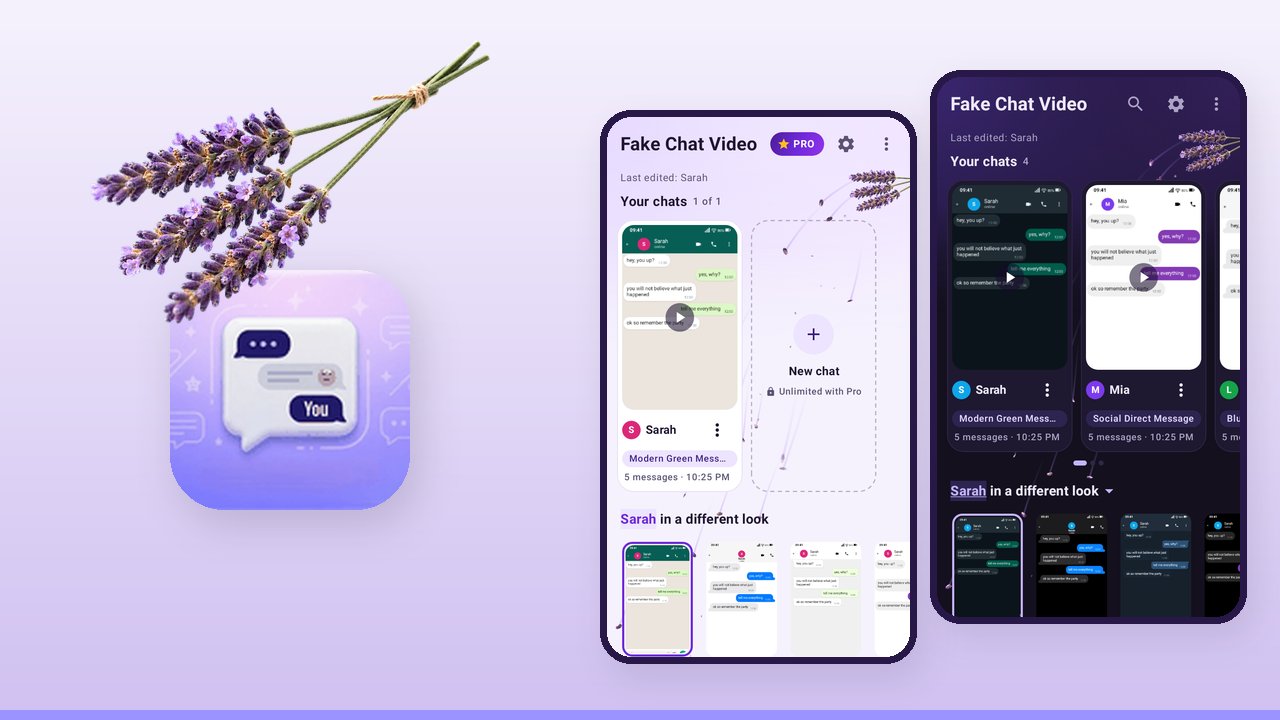
16 September 2026: Version 1.1.0 of Fake Chat Video is on Google Play, for all devices.
A new face
The colours now come from the app icon: violet instead of indigo on grey, and the dark version in aubergine instead of grey. Behind everything lies a bunch of lavender. Florets come loose from it and drift across the screen with a faint violet trail, large under the title on the home screen, small in the top bar on every other screen. Text sits on solid cards, and the florets fly behind them.
If you do not like it, switch off the moving background in the settings. The florets are gone then. With animations turned off in the system, nothing moves anyway.
The home screen
- Your chats sit side by side as cards, each with a real preview. Swipe for more.
- Below them is the front chat in every style. One tap tries it in another style.
- Tapping the chat name there opens the list of all chats.
- The first steps show how far along you are.
New chat, like the studio
When you create a chat you get a live preview on top. Participants and chat style sit below it in two tabs.
New in Pro: 16:9 landscape
The video comes out at 1920 by 1080. The chat stays a phone screen in the middle of the frame, and the sides are filled with a dimmed, blurred version of the same chat. Made for YouTube and desktop screens.
Smaller things
- What you type yourself now shows up in the input field, and voice messages no longer make typing sounds.
- The email address on the help screen wraps instead of being cut off.
How the lavender got into the app is in the Dev Log.
Warm regards from the workshopDigitale Manufaktur Rudolstadt